
Interactive Flat Panel Price in Cambodia
Mugnee Cambodia provides interactive flat panel (smart board) solutions and project-based interactive flat panel price in Cambodia support, including smart board price in Cambodia guidance, for schools, universities, training centers, meeting rooms, and government offices. Our 4K interactive touch displays include wireless screen sharing, Android/OPS options, professional installation, user training, and local after-sales support in Phnom Penh, Siem Reap, and Sihanoukville.
Serving: Phnom Penh - Siem Reap - Sihanoukville
Interactive Flat Panel Products
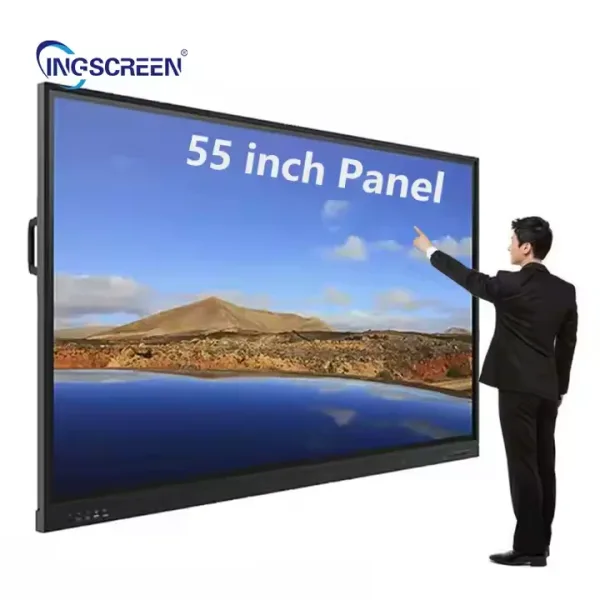 Smart Board
Premium Quality Interactive Screen 55"
Compact interactive screen for small rooms.
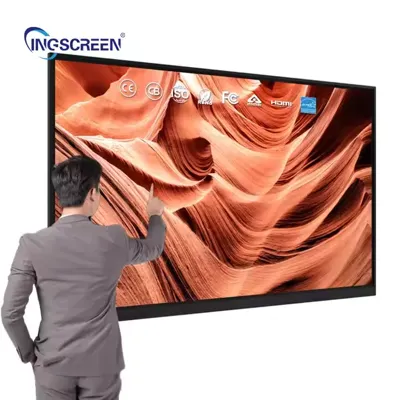 Smart Board
Premium Quality Interactive Screen 65"
Interactive screen for classrooms and meetings.
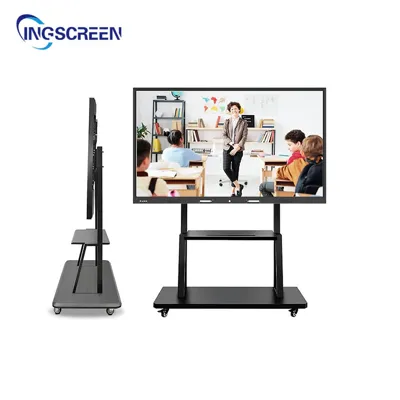 Smart Board
Premium Quality Interactive Screen 75"
Interactive screen for classrooms and meetings.
Smart BoardPremium Quality Interactive Screen 85"
Large interactive screen for classrooms and boardrooms.
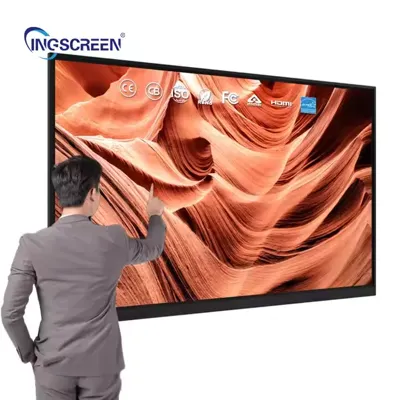 Smart Board
Premium Quality Interactive Screen 98"
Large format interactive flat panel for classrooms and boardrooms.
Smart BoardSkyworth Smart Board 4K 75"
75-inch smart board for classrooms and training rooms.
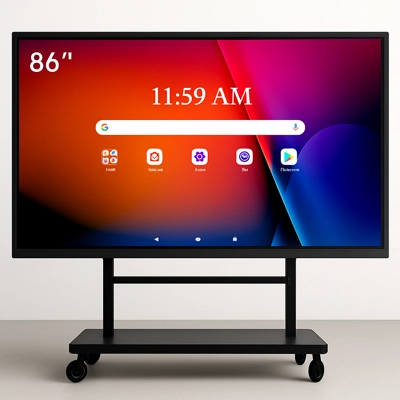 Smart Board
Interactive Flat Panel Basics
What Is an Interactive Flat Panel (IFP)?
An interactive flat panel is a large 4K touchscreen display that combines a digital whiteboard, presentation screen, and collaboration tools in one device. It is commonly used in classrooms, meeting rooms, training centers, and healthcare briefings because it supports real-time writing, annotation, and wireless screen sharing.
How Does an Interactive Flat Panel Work?
The panel uses a high-resolution LCD with a multi-touch layer that detects finger or stylus input. Built-in Android software runs whiteboard and collaboration apps, while HDMI/USB-C/LAN ports and wireless casting allow laptops and phones to share content instantly. Optional OPS/Windows modules turn the screen into a full PC for advanced applications.
- 4K UHD clarity for classrooms and meetings
- Multi-touch writing and annotation
- Wireless screen sharing and plug-and-play ports
- Android built-in with optional OPS/Windows
- Lower maintenance than projector systems
Interactive Flat Panel Use-Case Selection Guide
Match your environment to the best screen size and features. This quick matrix helps you shortlist the right interactive flat panel.
Interactive Flat Panel Specifications Comparison by Size
Compare size, 4K resolution, touch points, OS support, and connectivity to select the best interactive flat panel for classrooms, meeting rooms, and training centers in Cambodia.
Buying Guide
Screen Size & Viewing Distance Guide
Choose the screen size based on seating distance, room size, and content type. Classroom environments often use 65-86 inch, while auditoriums and large training halls prefer 98-110 inch panels.
Enter the approximate viewing distance (meters). We will suggest a screen size range.
Final size depends on content type, audience seating, and room lighting.
Installation, Setup & Training
End-to-end installation for interactive flat panels in Cambodia includes site survey, mounting, cabling, network setup, and user training. We optimize the screen height, viewing angle, and cable routing to ensure reliable daily use for classrooms, meeting rooms, and training centers.
Measure room size, seating distance, wall strength, and lighting. Confirm the best screen size, mounting height, and cable path.
Install wall brackets or floor stand with safe load rating, correct tilt, and clean finishing for professional presentation spaces.
Connect power, LAN/Wi-Fi, HDMI/USB-C, and configure Android or OPS/Windows for content sharing and classroom apps.
Hands-on training for whiteboard tools, wireless casting, file sharing, and daily maintenance checks for smooth operation.
Interactive Flat Panel Use Cases in Cambodia (Education, Corporate, Healthcare)
Real-world scenarios where interactive flat panels improve teaching, training, and presentation workflows across Cambodia schools, offices, and hospitals.
65-86 inch 4K smart boards with multi-touch writing, annotation, and wireless casting for daily lessons. Supports whiteboard apps, lesson playback, and interactive teaching.
65-75 inch interactive panels with HDMI/USB-C, LAN/Wi-Fi, and screen sharing for presentations, brainstorming, and hybrid meetings.
75-98 inch panels for clear visibility, multi-user collaboration, and hands-on demonstrations during workshops and onboarding.
65-86 inch panels for clinical training, medical briefings, and patient education with quick annotation and reliable daily use.
Interactive Flat Panel Warranty, Support & After-Sales Service in Cambodia
Our interactive flat panel service in Cambodia covers quotation, delivery, installation, training, and long-term support. We focus on reliable classroom and meeting room operations with clear warranty terms, responsive on-site service, and optional maintenance plans.
Warranty depends on the chosen model, configuration, and usage. We provide clear coverage details, warranty duration, and scope during quotation and handover.
Our team handles installation, calibration, firmware checks, and troubleshooting to keep smart boards stable for daily classroom and office use.
Preventive maintenance, cleaning guidance, and AMC plans are available for schools, universities, and corporate deployments.
FAQ - Interactive Flat Panel
What size interactive flat panel should I choose for a classroom?v
Choose based on viewing distance and room size. Common classroom sizes range from 65 to 86 inch, while larger halls often use 98 to 110 inch.
How far should students sit from a smart board?v
Viewing distance depends on screen size. As a general guide, 65-inch panels suit around 2 to 3.5 meters, 75-inch suits around 2.5 to 4 meters, and 86-inch around 3 to 5 meters.
Do interactive flat panels support Android and Windows?v
Most models include Android, and many offer OPS/Windows compatibility. Check the exact model for OS version and OPS options.
How many touch points does an IFP support?v
Multi-touch is standard. For example, some models support 20-point touch, and higher-end models support 40-point touch.
Can I connect laptops and phones wirelessly?v
Yes. Many models support wireless screen sharing, plus HDMI and USB-C for plug-and-play connectivity.
Do you provide installation and user training in Cambodia?v
Yes. We provide installation, configuration, and training for classrooms, meeting rooms, and training centers.
What are the key ports I should check?v
Look for HDMI, USB, USB-C, and LAN connectivity. These cover most classroom and meeting room setups.
Do you offer warranty and after-sales support?v
Yes. Warranty terms depend on the model and project scope. We share the coverage details during quotation.
Get a Project-Based Quotation
Share your room size, preferred screen size, and usage (classroom or meeting). We will recommend the best model with installation and support options.